ReaSources
In my pursuit to iron out the biggest bottlenecks of my recording and mixing workflow within my DAW of choice, Reaper, I've come to find, as well as create a number of utilities tailored to my personal preference. These utilities might also be of use in your production workflow, so feel free to try a few of them out.
Ethos
The core philosophy at heart has been derived from the lessons learnt from recording to tape,
a benchmark which has followed me through the near decade that I've been learning to record
and produce my own music. By "tape" I of course refer to the 4 track cassette recorder I've had
in my possession in 2022. This humble machine has been a great platform for learning the basics
of recording in a tactile, and very limited format. Whenever Reaper with all its power and capability
has been too overwhelming, I've resorted to the tape recorder for trying out ideas, and making the
recording experience engaging. Over time however, I've come to apply some of the lessons to how I approach Reaper.
This has resulted in a hybrid analog-digital workflow which in recent months come to spark the joy of recordig again for me.
The convenience of a DAW, used through the lens of a tape recorder has come to inspire me to record again after years of
struggling to find a way to be precise and efficient as not to ruin the flow of making music.
At heart, I love playing instruments, and that's always been the central tenant of the way I've come to customize Reaper for my preferences.
As a DAW, I think Reaper is ecpecially powerful due to this inherent flexibility. It needs to be said however,
that it's taken me years to get to this point, but what can I say, patience is a virtue ...right?
The QOL utilities
At its core, these utilities are intended to add quality of life to the core workflow of Reaper, and apart from these small tools, I otherwise use Reaper with its stock plugins and themes. Your session might be completely differently layed out than mine, but maybe you still find use of these tools I've created for my own needs.
The "2i2-ReaRouter"
As the name suggests, this is a small script which is tailored to the Focusrite Scarlett 2i2 1st gen USB audio interface I use to capture audio into Reaper. The idea for this custom script came when I couldn't find the specific functionality I needed from the SWS Extension, which I at the time of writing exclusively use to colour tracks, and adding icons to them based on their given name. Essentially, when creating a new track, it changes color and icon based on the name I give it. This is a great way to consistently get a predictable layout across projects, and I highly recommend using it as a base, and viewing the 2i2-ReaRouter as a very speciaized add-on.
Presently, the 2i2-ReaRouter performs a seemingly simple task. Just like how the SWS extension visually formats tracks based on names, this script automatically assigns preset recording inputs based on track name. As any stock Reaper user can confirm, setting the record input involves a lot of clicking through context menus which really has the potential to ruin your flow. Automatically assigning record inputs based on track name has really come to save me a lot of headache. Just the tiny detail of automatically setting a mono or stereo record input helps a ton when you have a limited number of physical inputs, like the single pair that the Scarlett 2i2 provides.
The MCP "Tape Reel" plugin
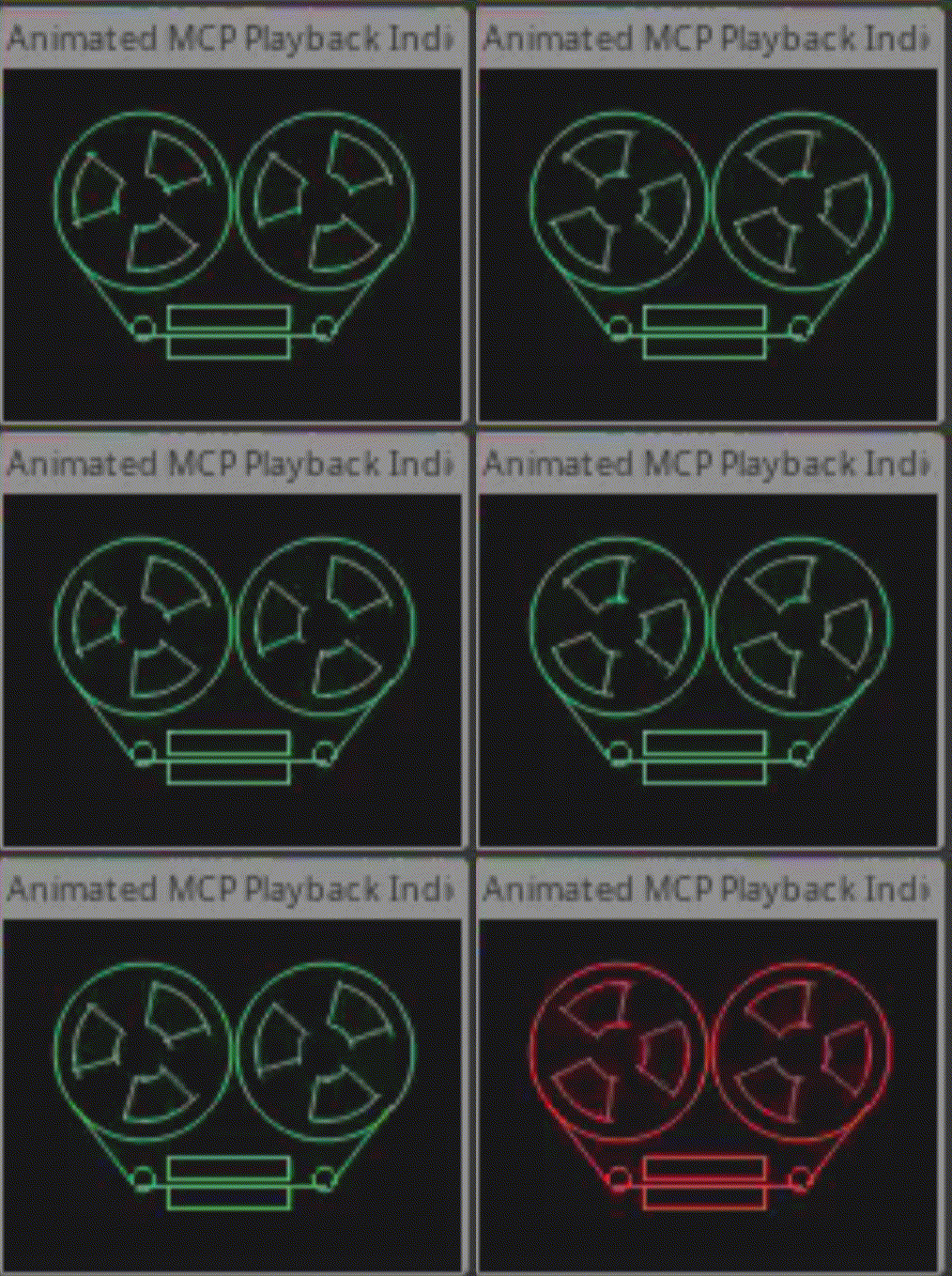
Those who know me, also know I mostly like tape machines because they look cool when they spin. This eventually became the gimmicky inspiration for the playstate responsive JSFX plugin I built for my use case. Since I like to mix with the mixer window full screen, I needed a way to simply check playstate at a glance. The result became a plugin which renders a little line drawing, responsive to session playstate with colors and animations. This is inspired by the record feature on the Teenage Engineering OP-1, with its in my view iconic screen. This plugin will change color of the tape deck image, as well as animate the reels when playing back, recording or pausing, as displayed here.
Download